




Principle Mirror Redesign
2017
No items found.
THE OPPORTUNITY
Principle Mirror is the companion app to Principle for Mac, a tool for designing interactive interfaces, allowing users to preview their work on a mobile device.
The Challenge
Create an experience that better supports the workflow of a designer by solving issues focused around collaboration/sharing and file management.
My ROLE
Designer (Independent)
Scope & Ownership
End-to-end ownership of UI, User Flows, Prototype, Competitive Analysis
THE Team
Personal Project
Platforms
iOS
VIdeos
Prototypes
Demos
Primary navigation
Updating and saving off-device designs
"My Designs" tab
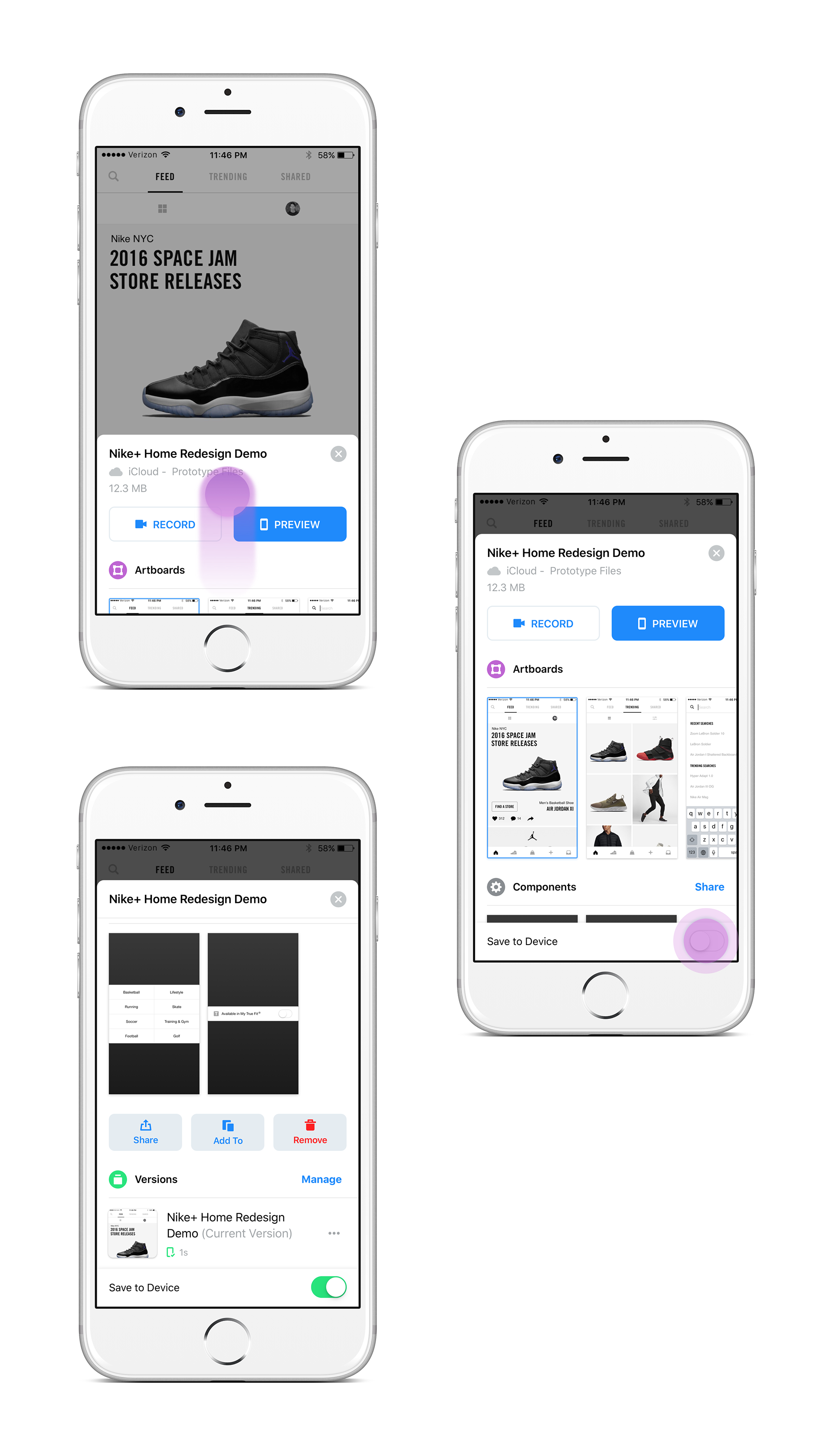
Saving versions of designs
Jump to specific artboards
"Projects" Tab
Project Details Page
Team activity notifications
OVERVIEW
My impact
Mobile phase 1 (iOS)

CTV phase 1 (tvOS & Roku)
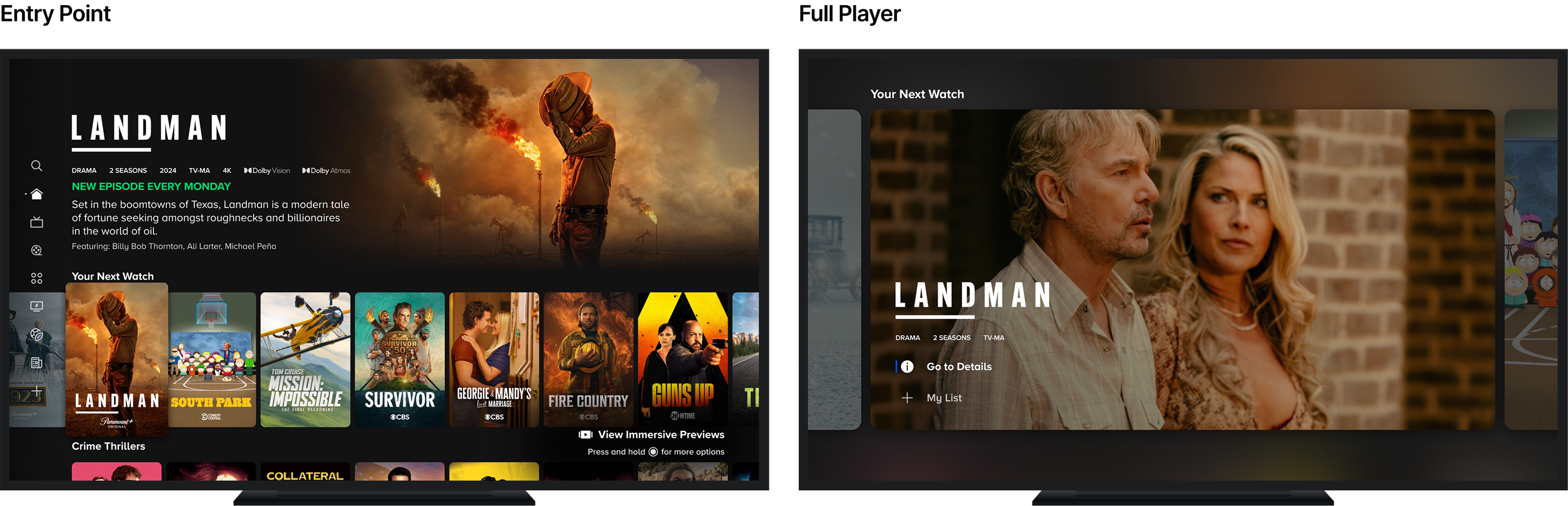
CTV phase 2 (Roku)
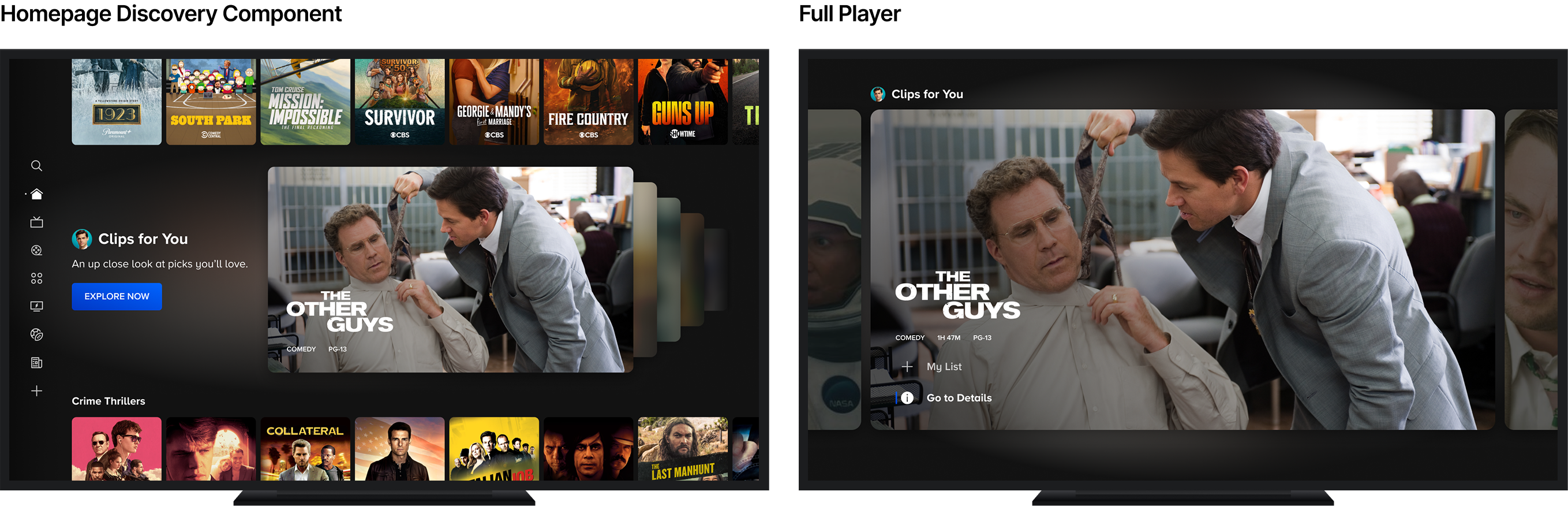
CTV Phase 3 (in development)
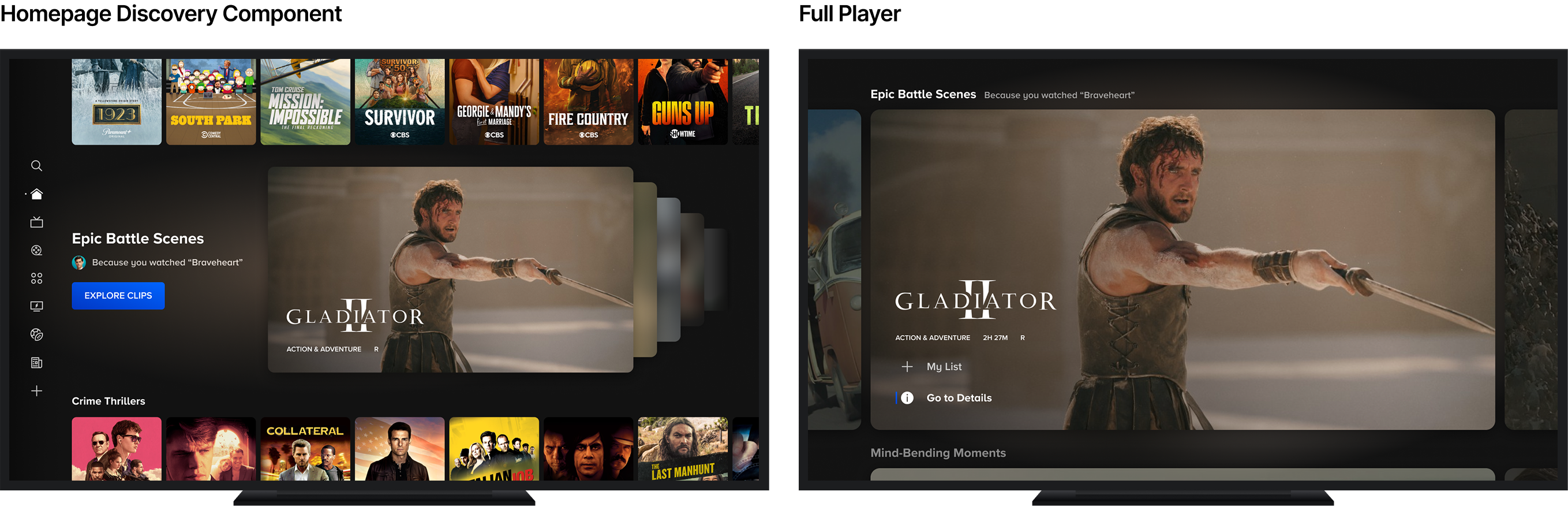
Phase Breakdown
- Mobile Phase 1 (iOS) - dev done, tested and validated, rollout temporarily paused
- CTV Phase 1 (tvOS & Roku) - tested and in market
- CTV Phase 2 (Roku) - dev done, test launching soon
- CTV Phase 3 (future A/B test) - in development
OVERVIEW
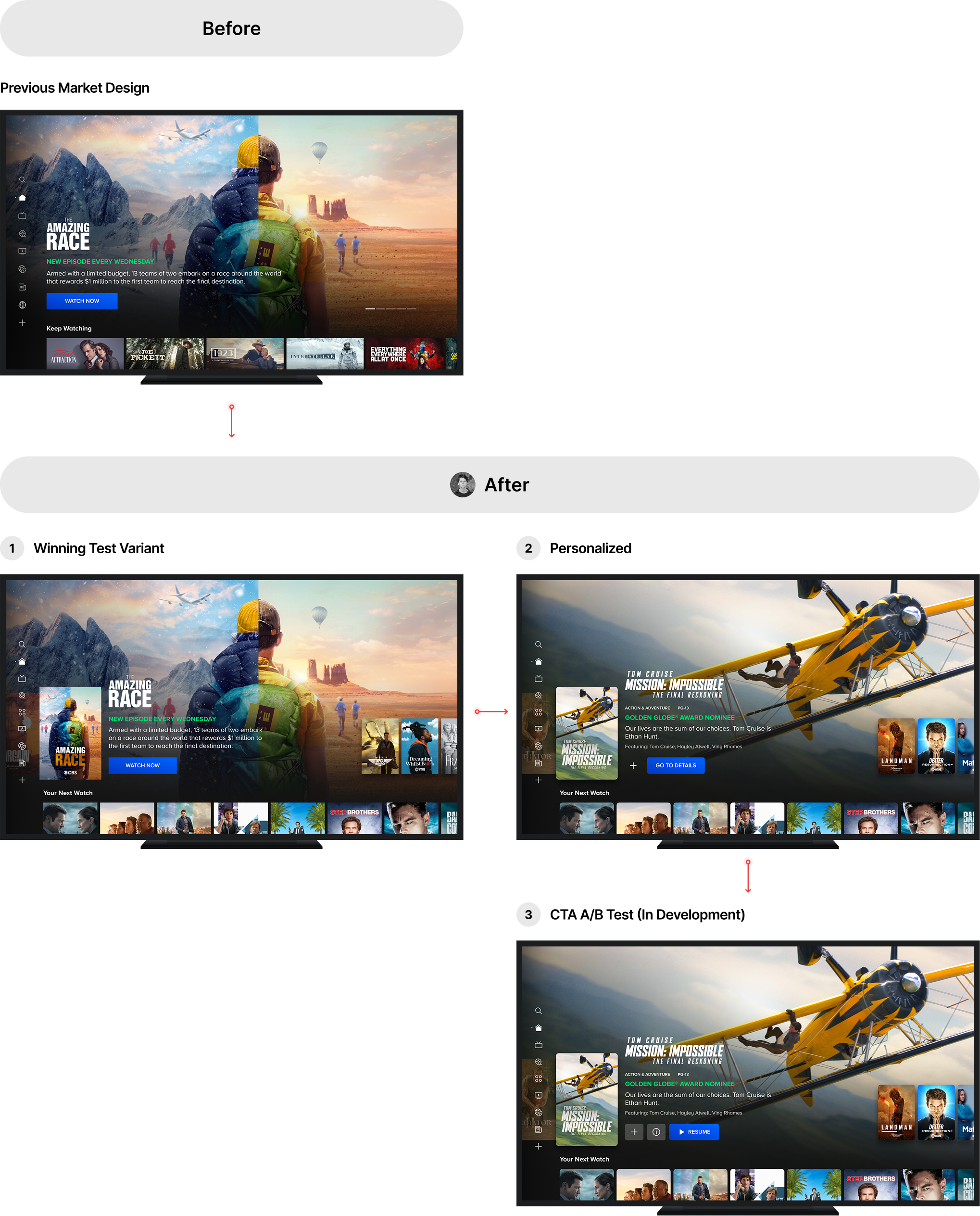
My impact
CTV
iOS
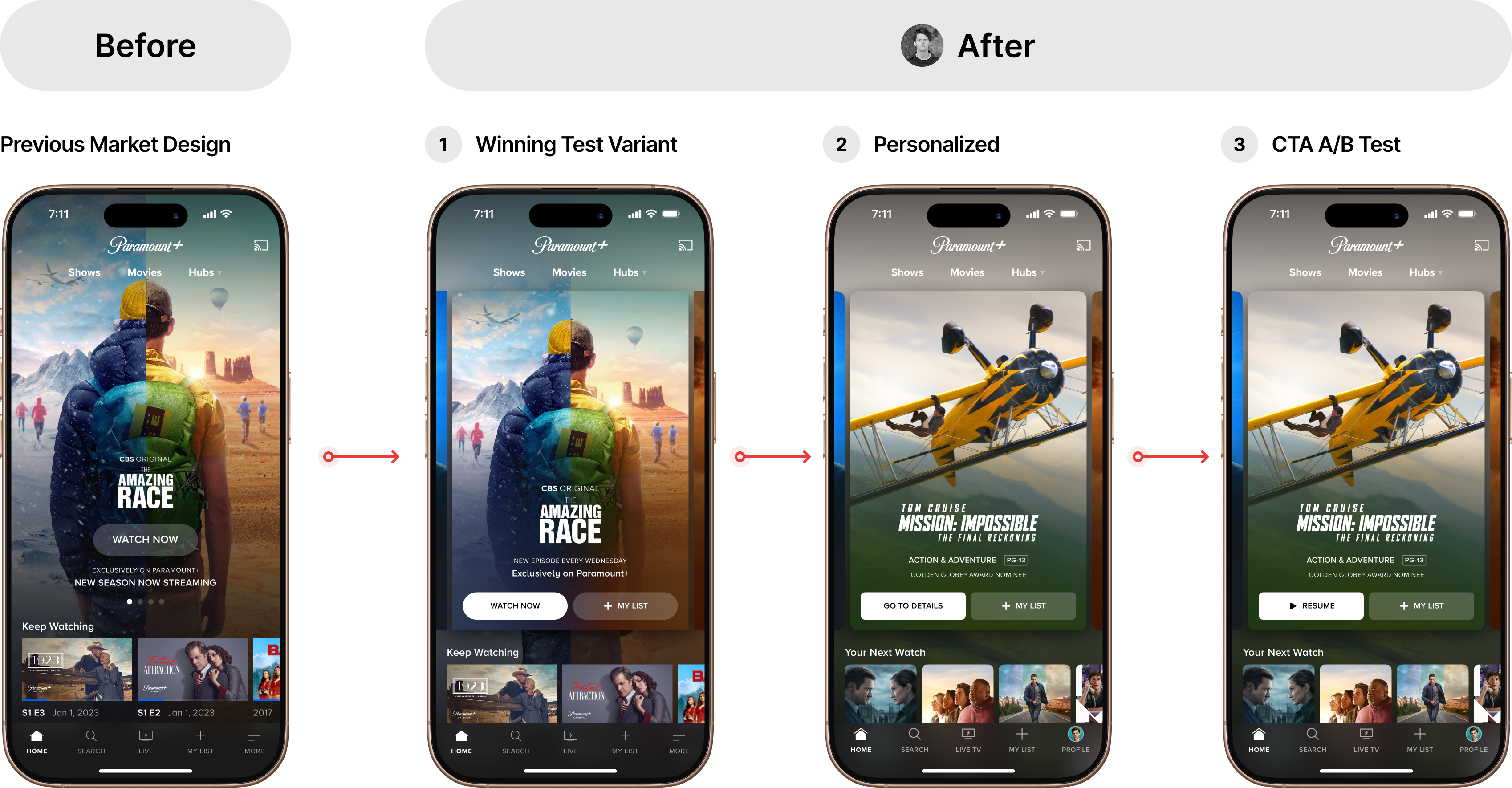
Web
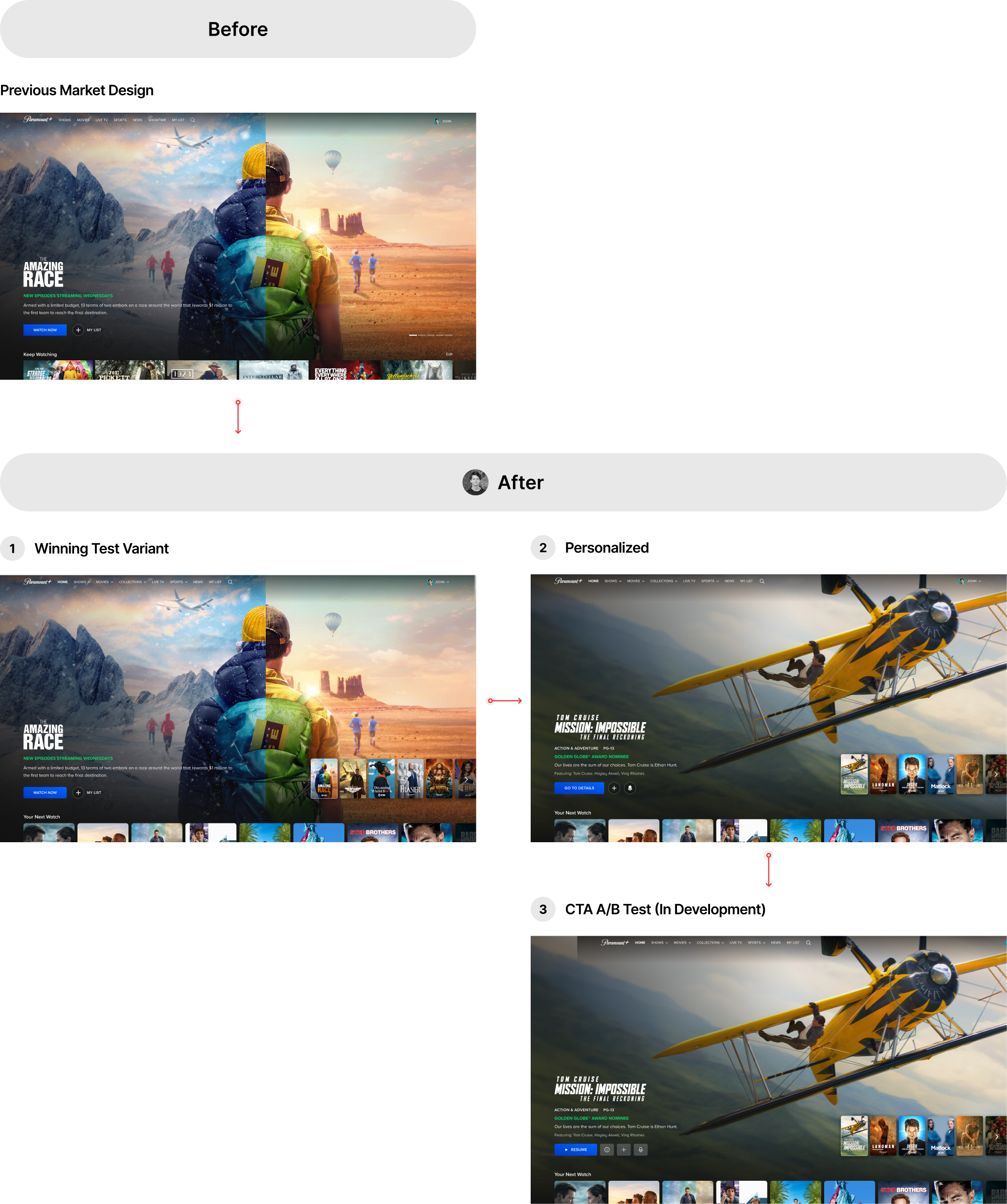
No items found.
No items found.
Research
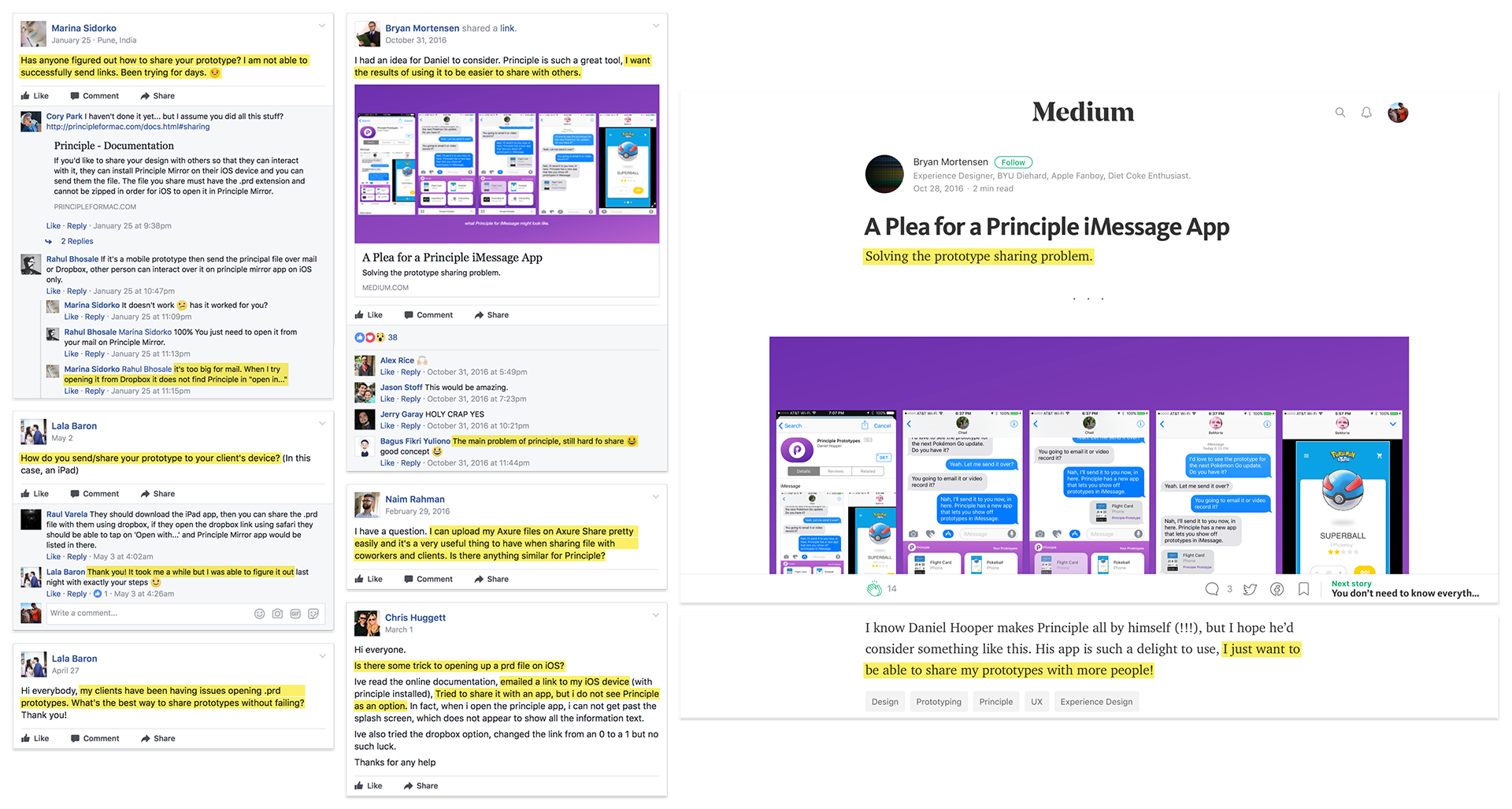
Why Focus on Collaboration?
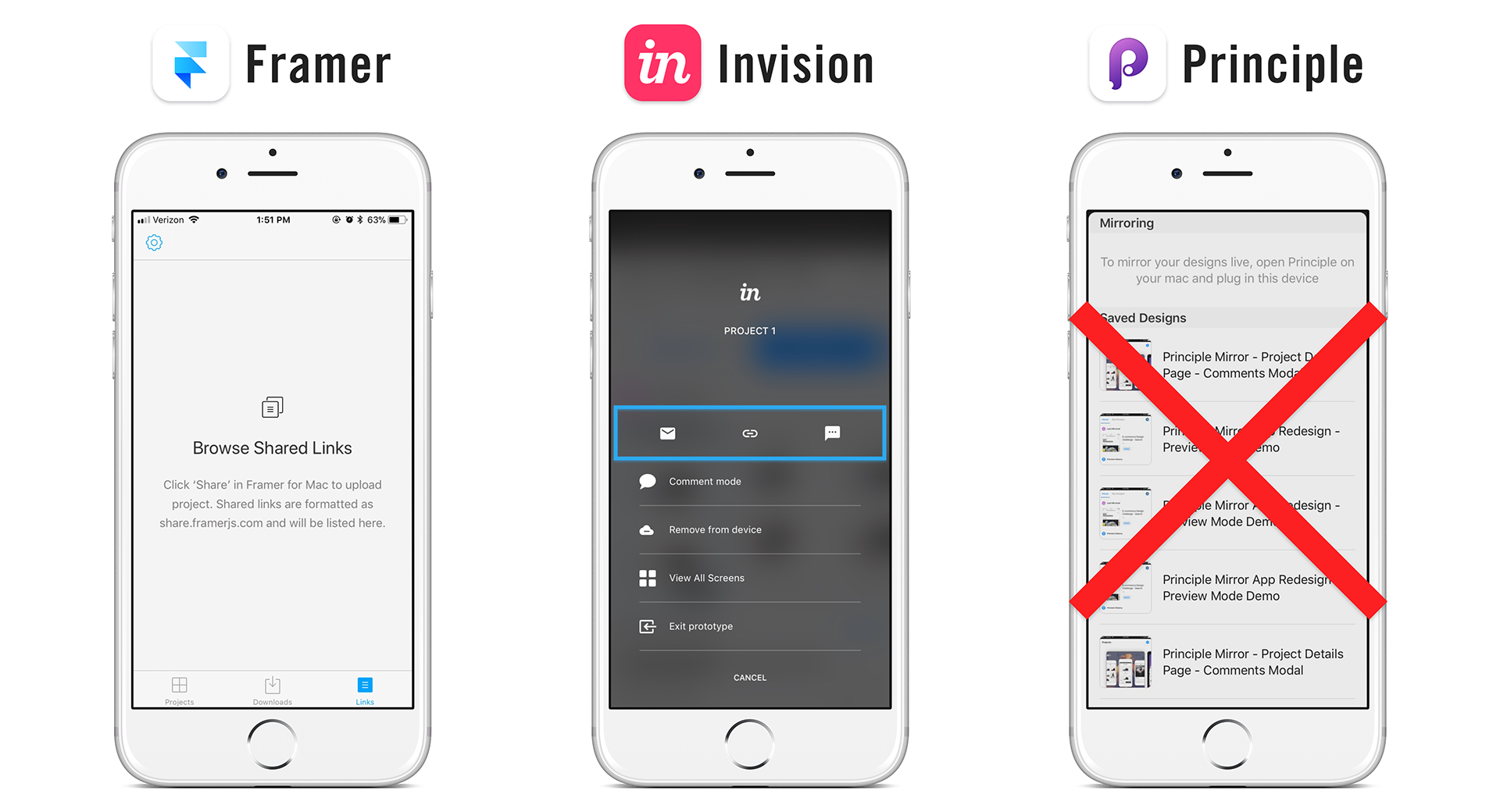
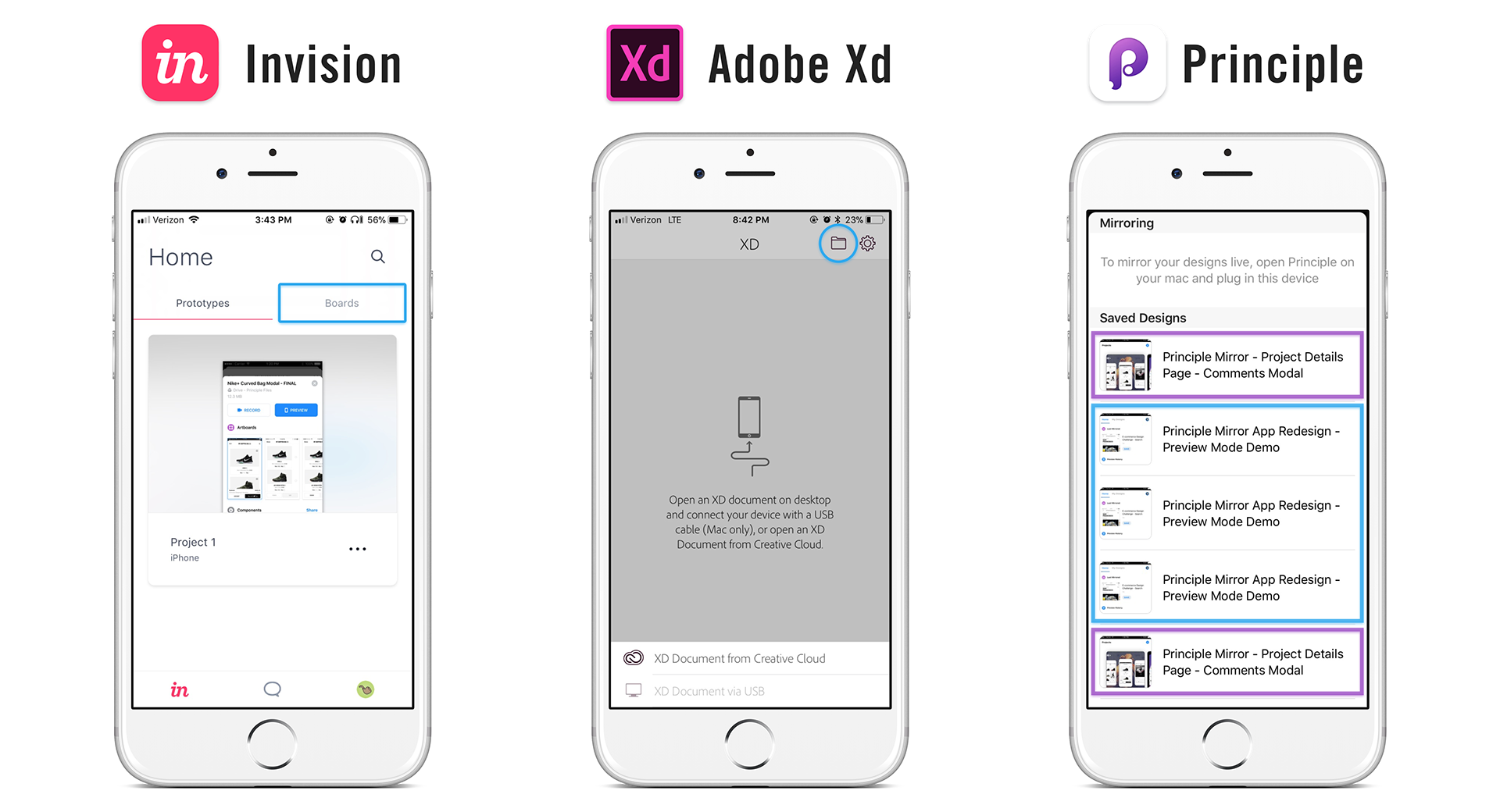
How does Principle compare to the competition?
1. Sharing designs
2. Commenting on designs

Why Improved File Management?
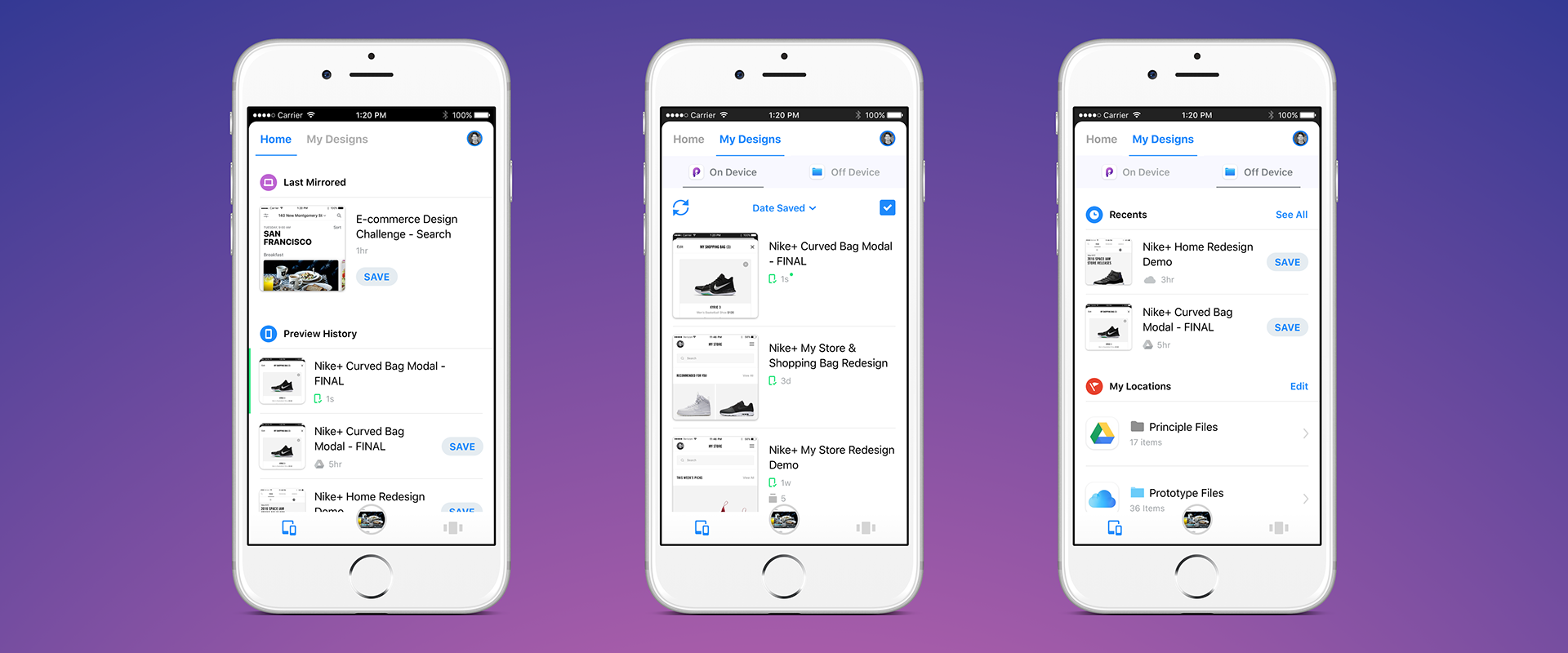
Redesign mock-ups & prototypes
Solution: Redesigned navigation and layout supporting 3rd party integration with iOS 11 Files app
Tab bar controller - File management solution Pt. 1
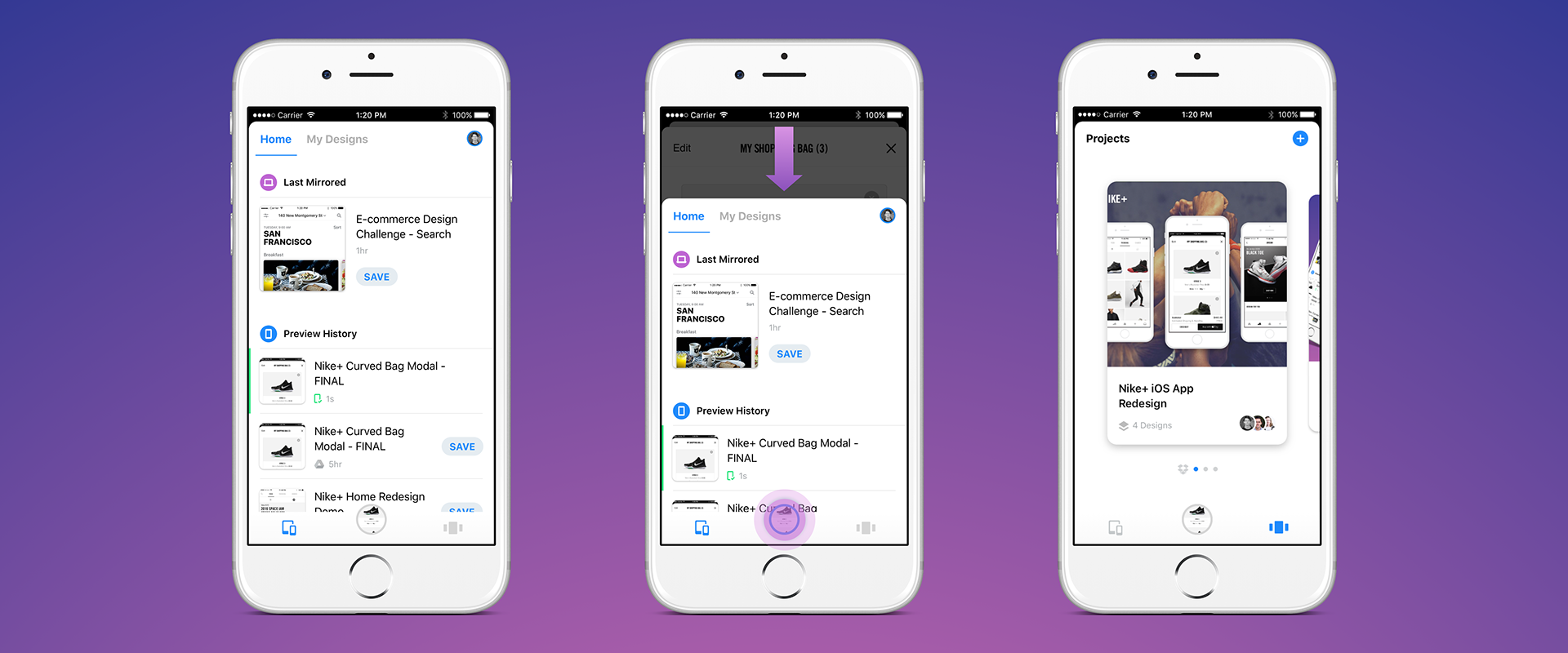
The Challenge: Supporting improvements in file management and collaboration without adding too much complexity to the navigation hierarchy while also maintaining existing gesture-based navigation
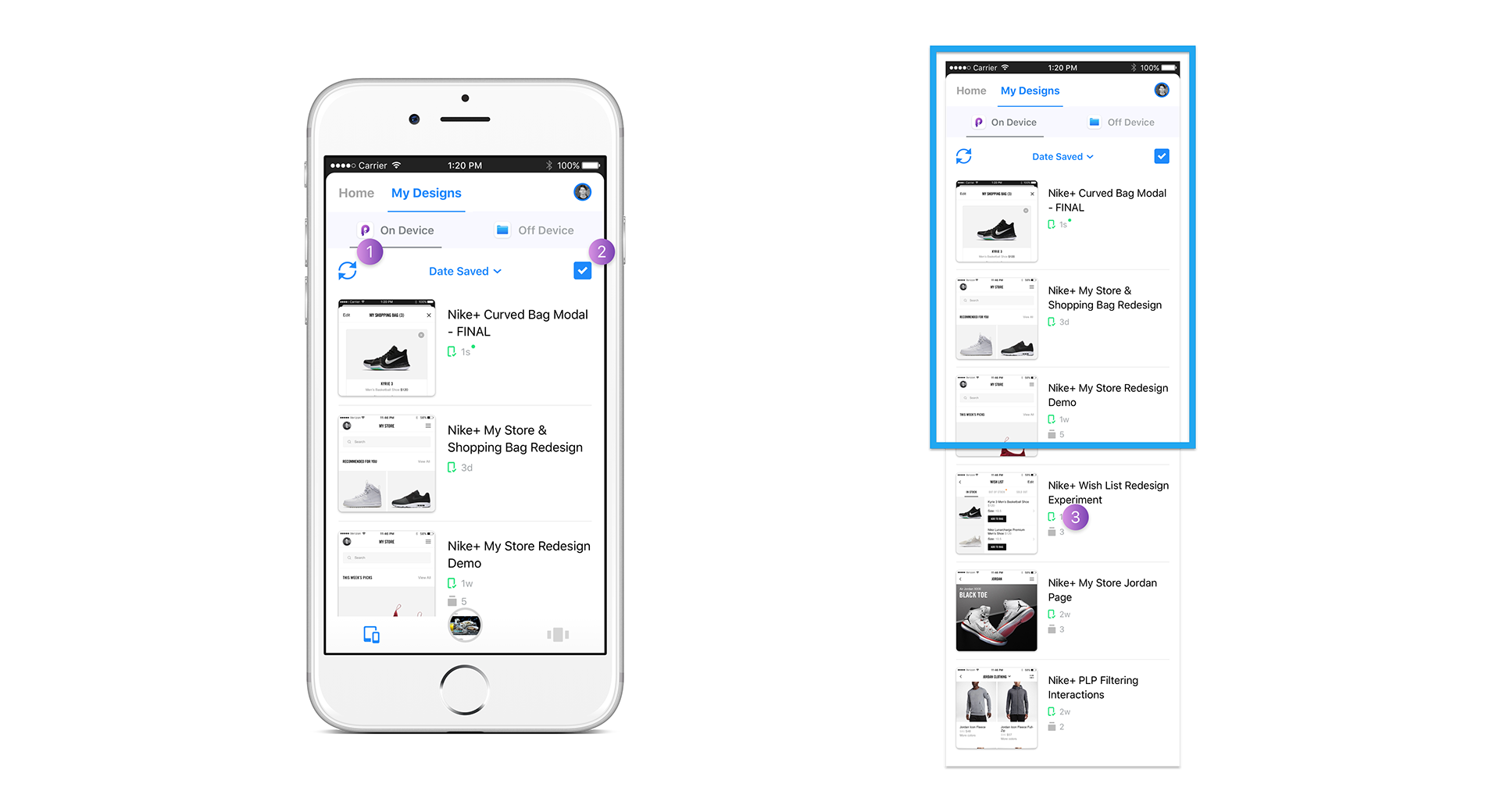
Home & My Designs tabs - File management solution pt. 2
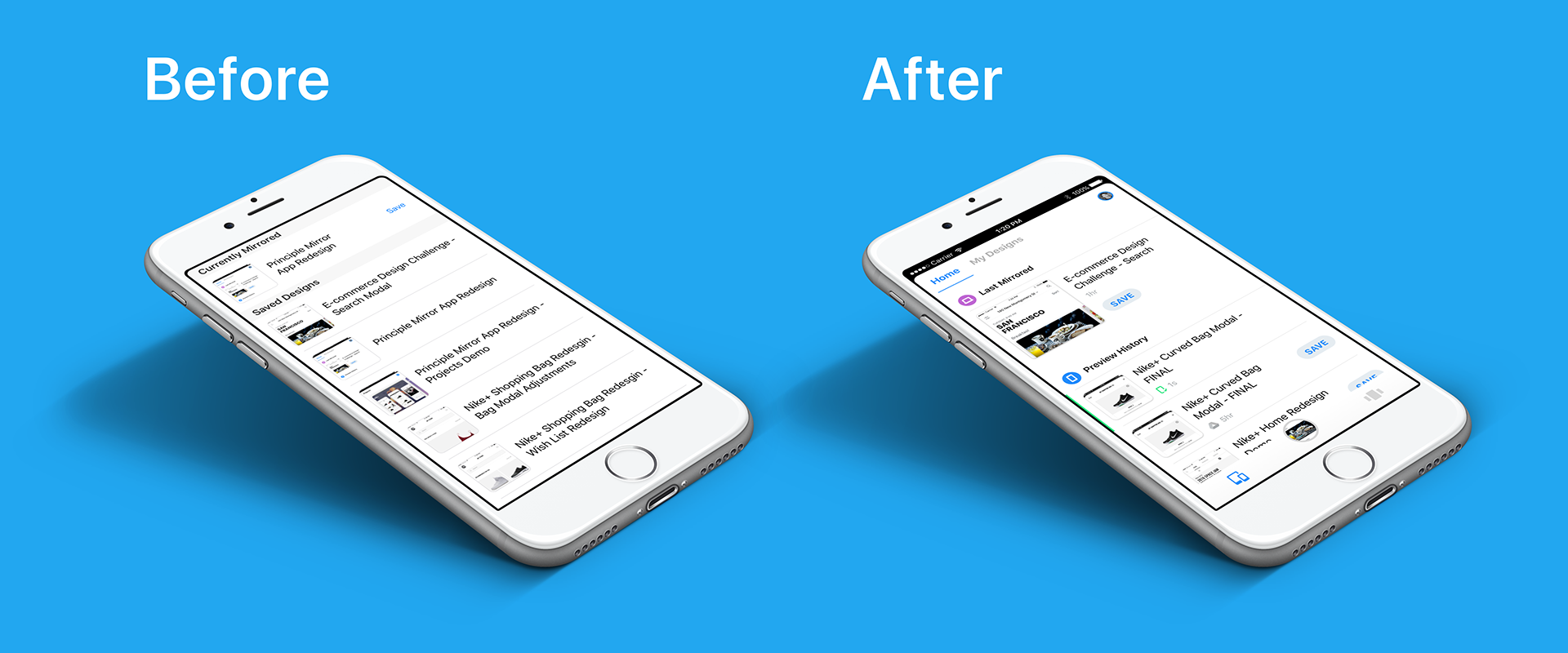
'Home' Tab Before & After

'Home' Tab Solution

Earlier Concepts
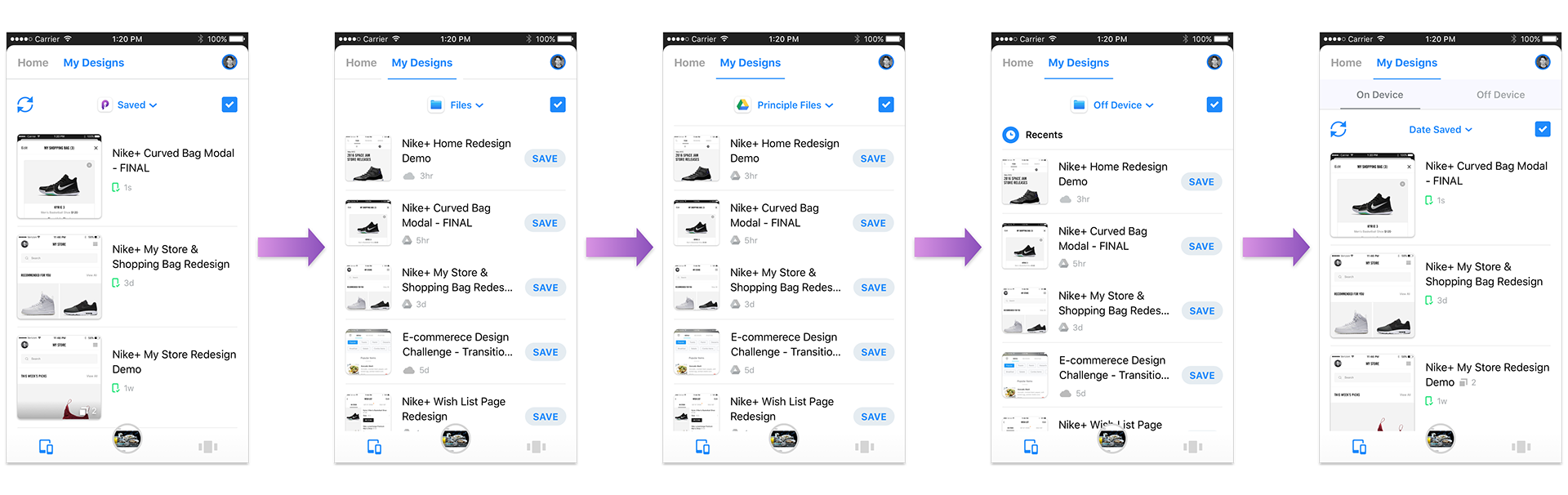
'On Device' Tab
File Details Modal - File Management Solution Pt. 3
Projects - Collaboration & Sharing Solution

Activity page - Central location for all project updates
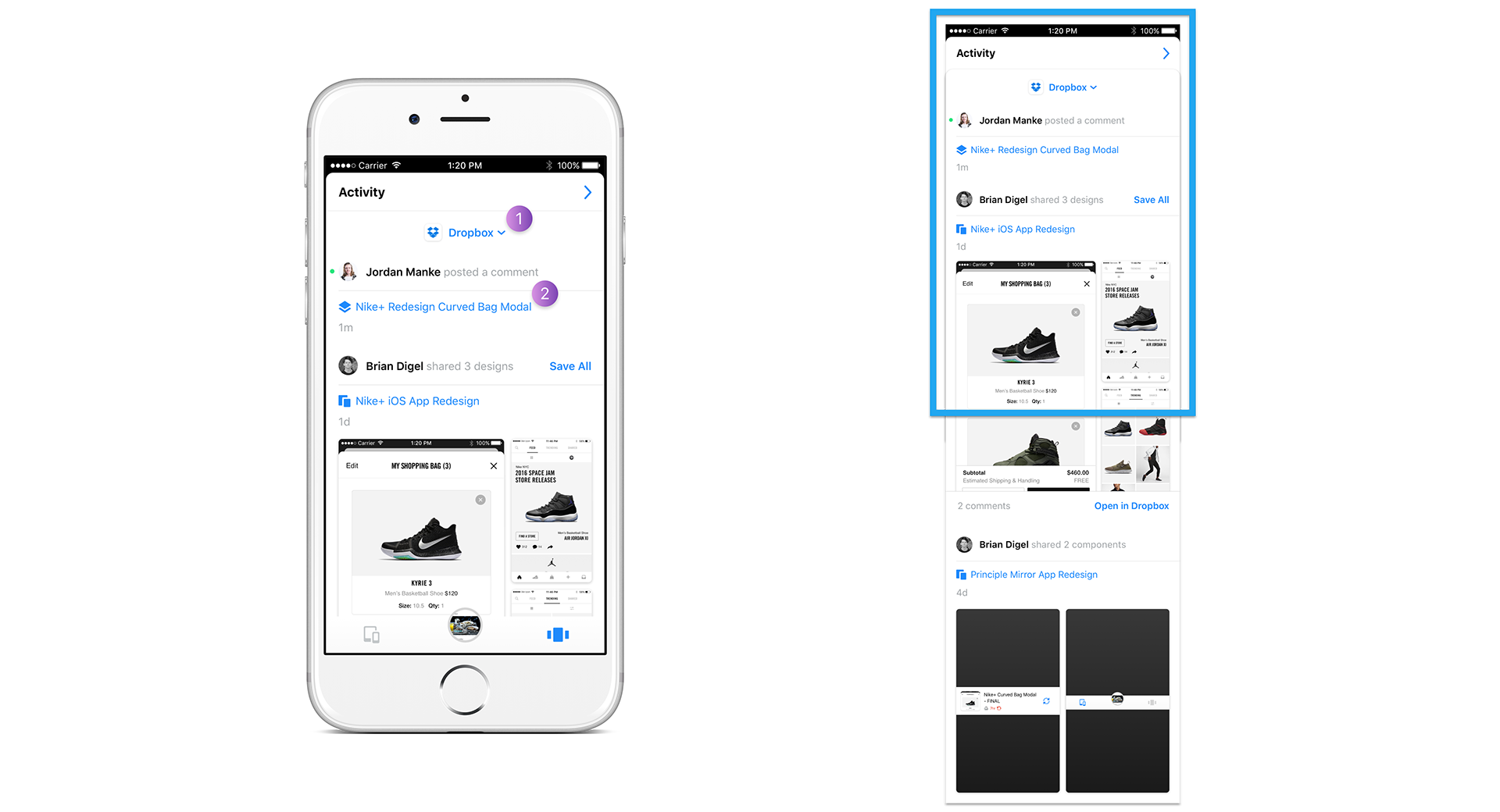
Activity Page Challenges
- Designing the Activity page to have its own vertical swiping behavior to allow users to "pull to refresh" without conflicting with the existing vertical swiping used to enter "Preview Mode"
- Deciding an access point and entry interaction for the Activity page that feels intuitive given the scope of its content (updates across all projects)
- Positioning badges for notifications where they will be visible enough to grab attention from the initial Projects page
No items found.



.png)